Bulk cloning Data Feed Items v3.1
Purpose | The following guide demonstrates how to clone multiple Data Feed Items (bulk cloning). |
Prerequisites | |
Supplementary |
|
You now have the ability to clone multiple Data Feed Items at once - a feature we call Bulk Cloning. This is especially powerful as it allows you to clone Data Feed Items to a different variant from where it was created - allowing easy content population when introducing new variants to your project. To do this, follow these steps:
Using the left-hand side navigation menu, browse to Data Feed Items
Select an existing task, or create a new task
Ensure there are more than two Data Feed Items present
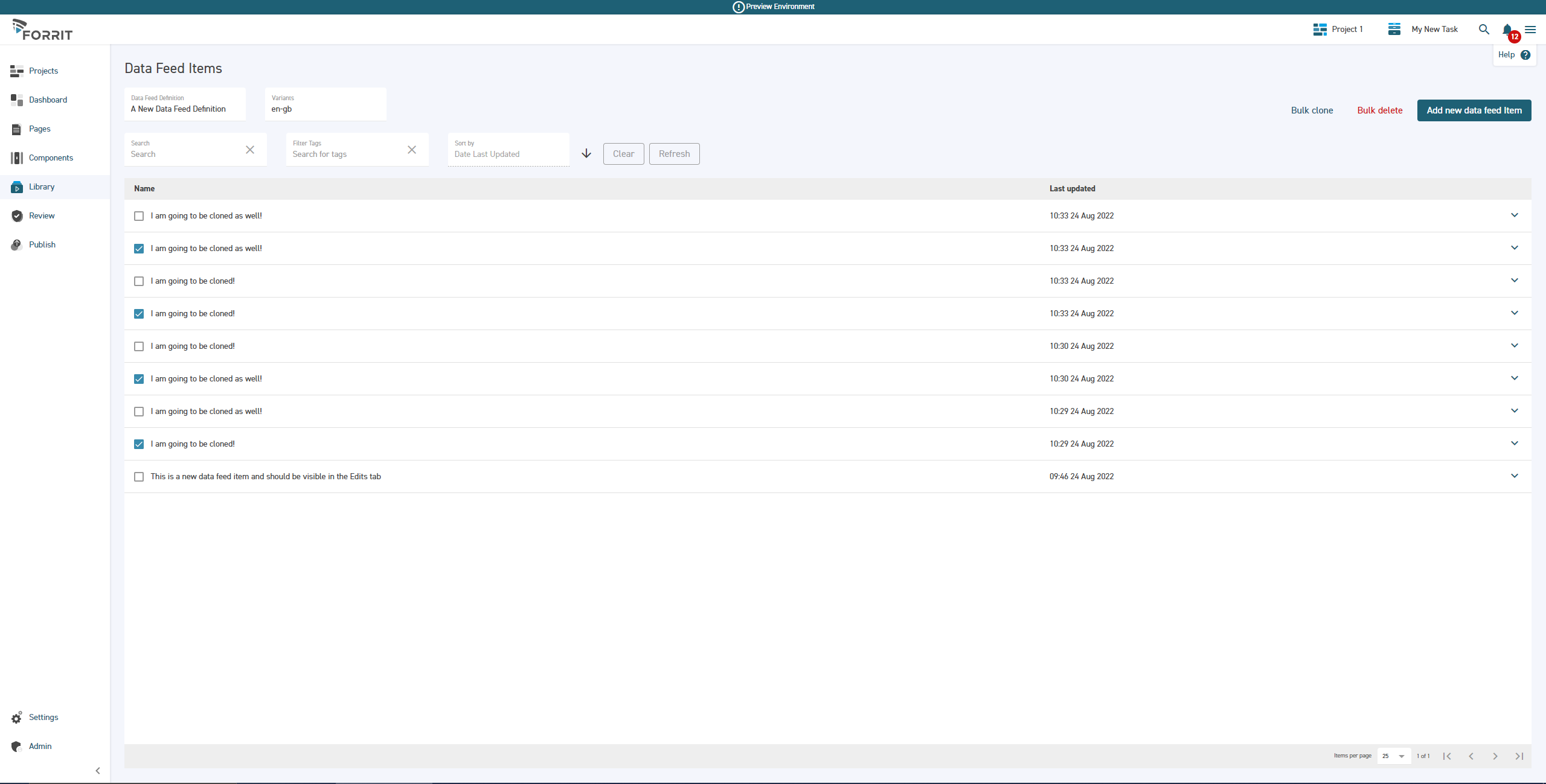
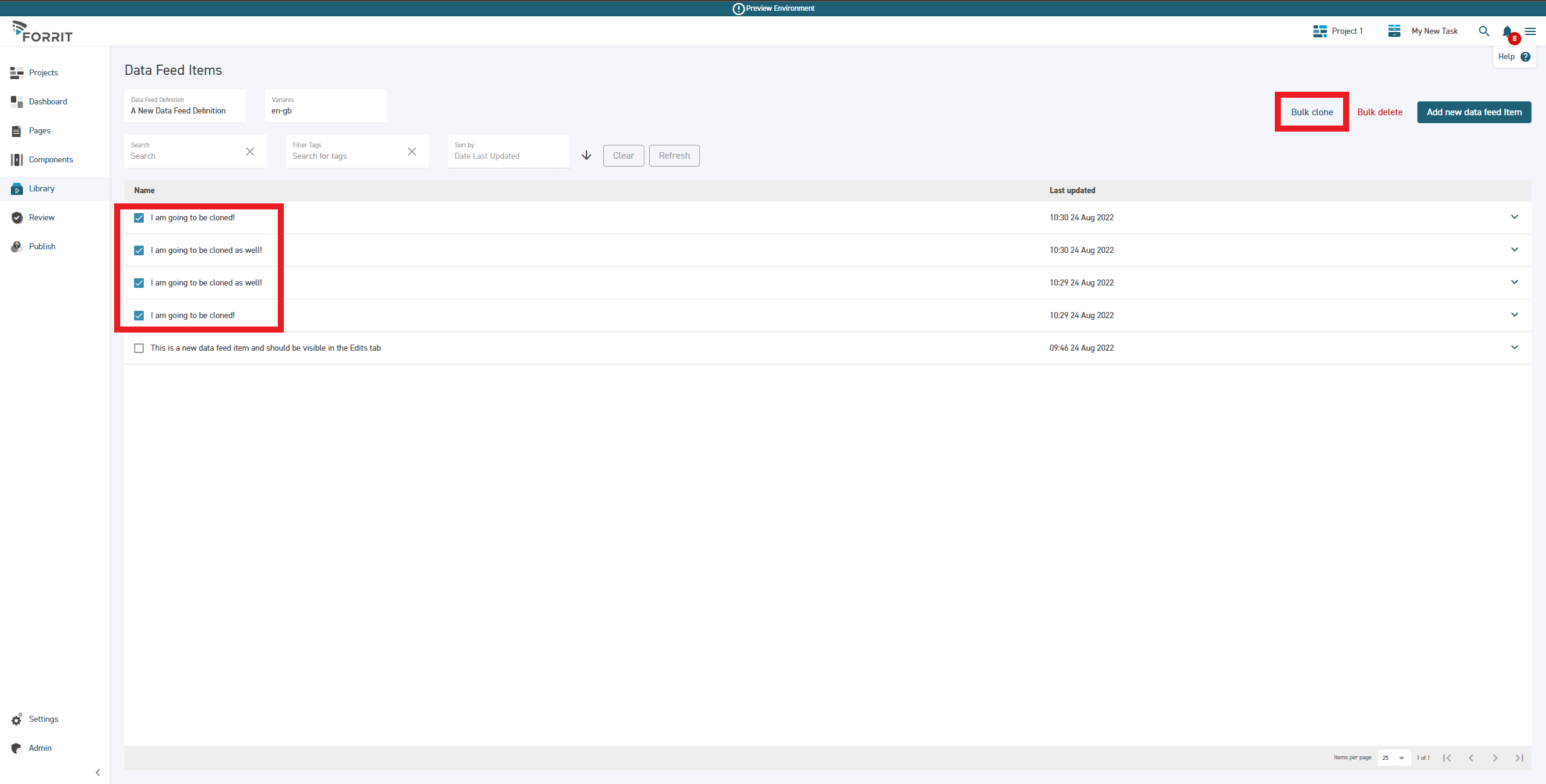
Select your chosen Data Feed Items by using the checkboxes on the left hand side of the Item drawers
Select Bulk Clone
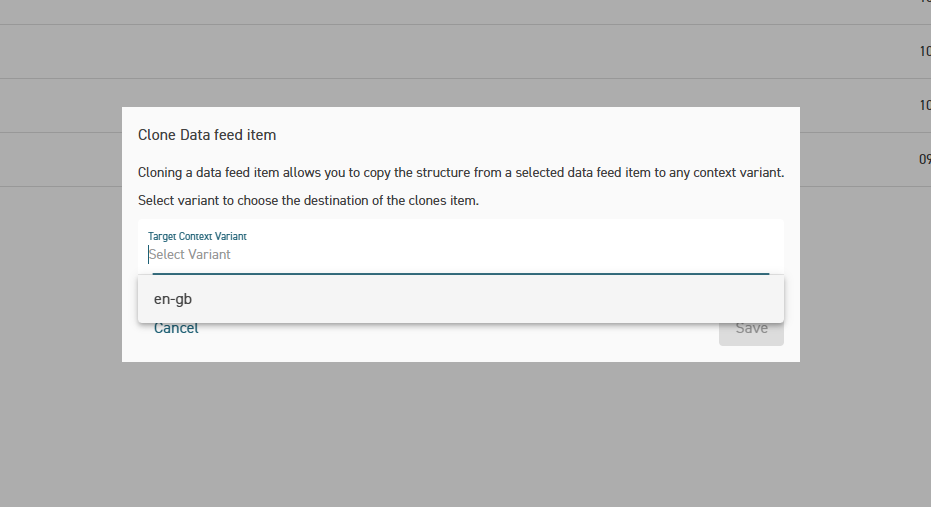
Choose your desired target variant - you can only select one at a time
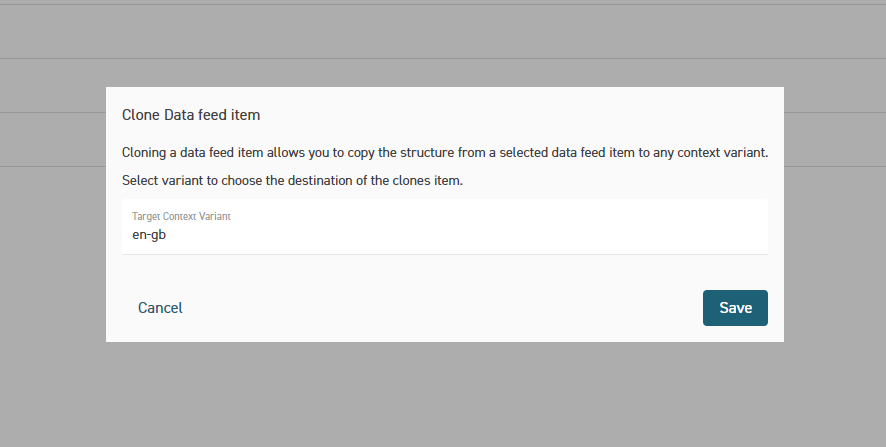
Select Save
Select the Refresh button, or use your browser controls, to see your cloned items
Remember to switch to the correct variant, if you cloned to a different variant!