
Release Rollback v3.1
Purpose | The purpose of this work instruction is to explain how to roll back a release to an earlier version. |
Prerequisites |
Rolling back allows a Consumer App environment to be reverted to a previous Release. This is useful if an unwanted Task with content edits has been deployed to a Production Consumer App.
We have simplified the process in version 3.0.
Navigate to the Publish module via the left-hand menu navigation.
Look for the number of the release you wish to revert to, then select the drop-down arrow to expand the functionality.
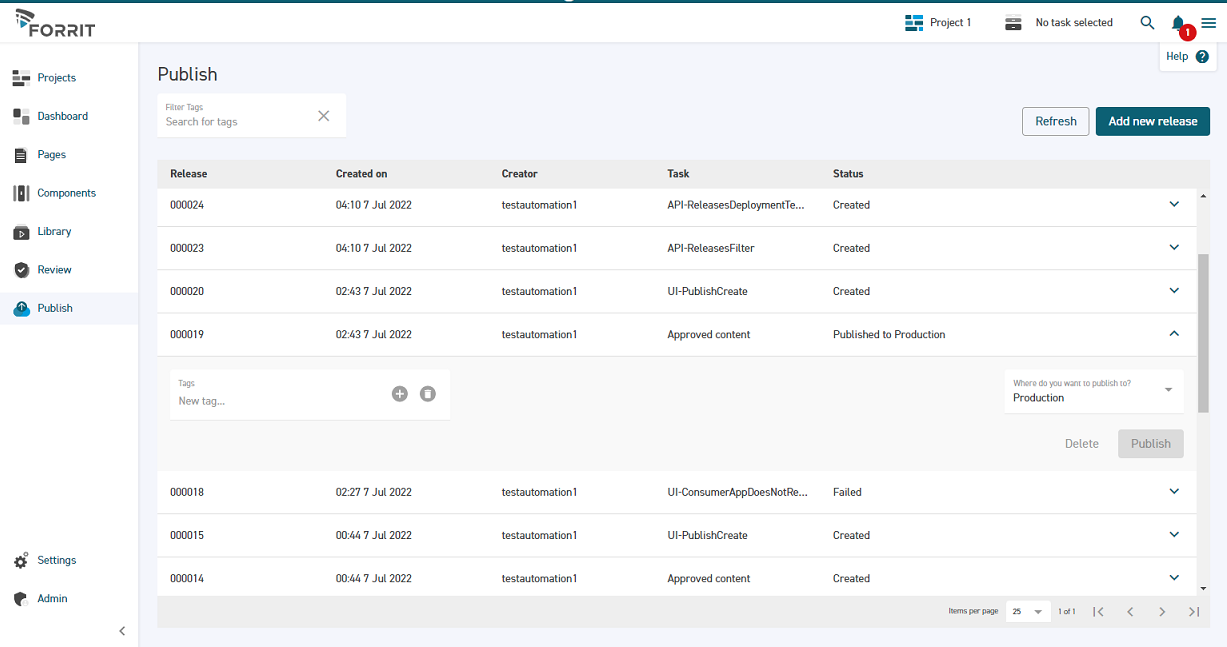
Select the ‘Where do you want to publish to?’ dropdown box and check Production. Then select Publish.
Your selected previous release has now been published to Production.