Using default values in data feeds v3.1
Purpose | The following guide demonstrates how to set up, and utilise, default values within Data Feed Definitions and Data Feed Items. |
Prerequisites | |
Supplementary |
It is now possible to assign a default value to all available Data Feed data types, including media items. These default values can be changed or cleared within individual Data Feed Items, allowing the user to reduce the amount of manual content assignation required when using this feature.
Setting Default Values in Data Feed Definitions
Using the left-hand side navigation menu, browse to Data Feed Definitions
Select an existing task, or create a new task
Select an existing DFD, or create a new DFD
Select an existing data feed field, or create a new field
Select the Default Value field
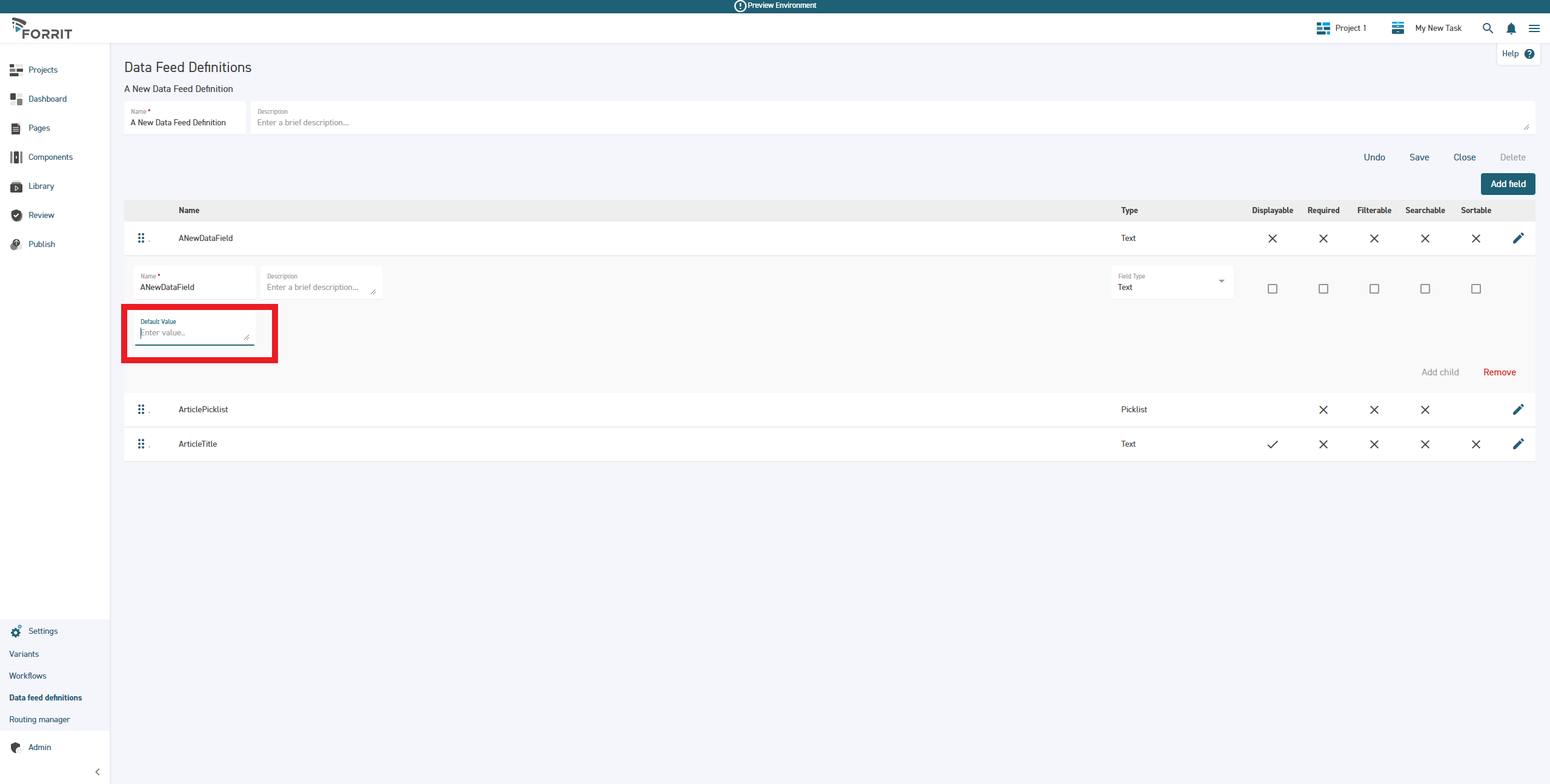
Enter your desired default value
Once you are satisfied with your changes, select Save
Default values can also be cleared by either:
Using the Clear button next to the default value field
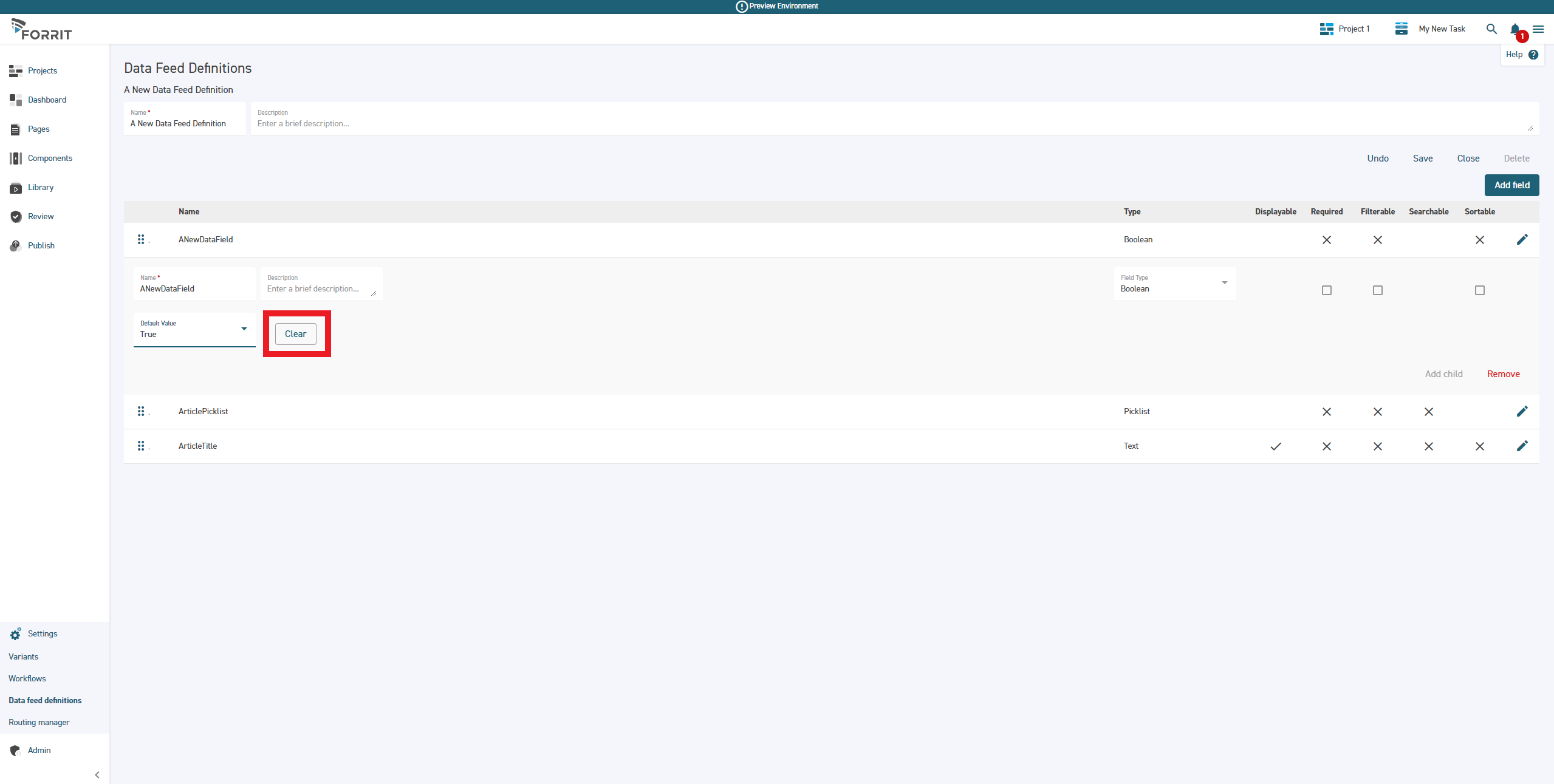
Deleting the text entry in the field
Once cleared, select Save
Like the previous version of Data Feeds, it is worth noting that changes to a definition are not applied retroactively. Default values assigned to an existing field, in an existing definition, will only be applied when new Data Feed Items are created.
Using Default Values in Data Feed Items
Using the left-hand side navigation menu, browse to Data Feed Items
Select an existing task, or create a new task
From the Data Feed Definition dropdown menu, select your chosen DFD
Select your desired context variant from the Variants dropdown menu
Select the Add new data feed item button
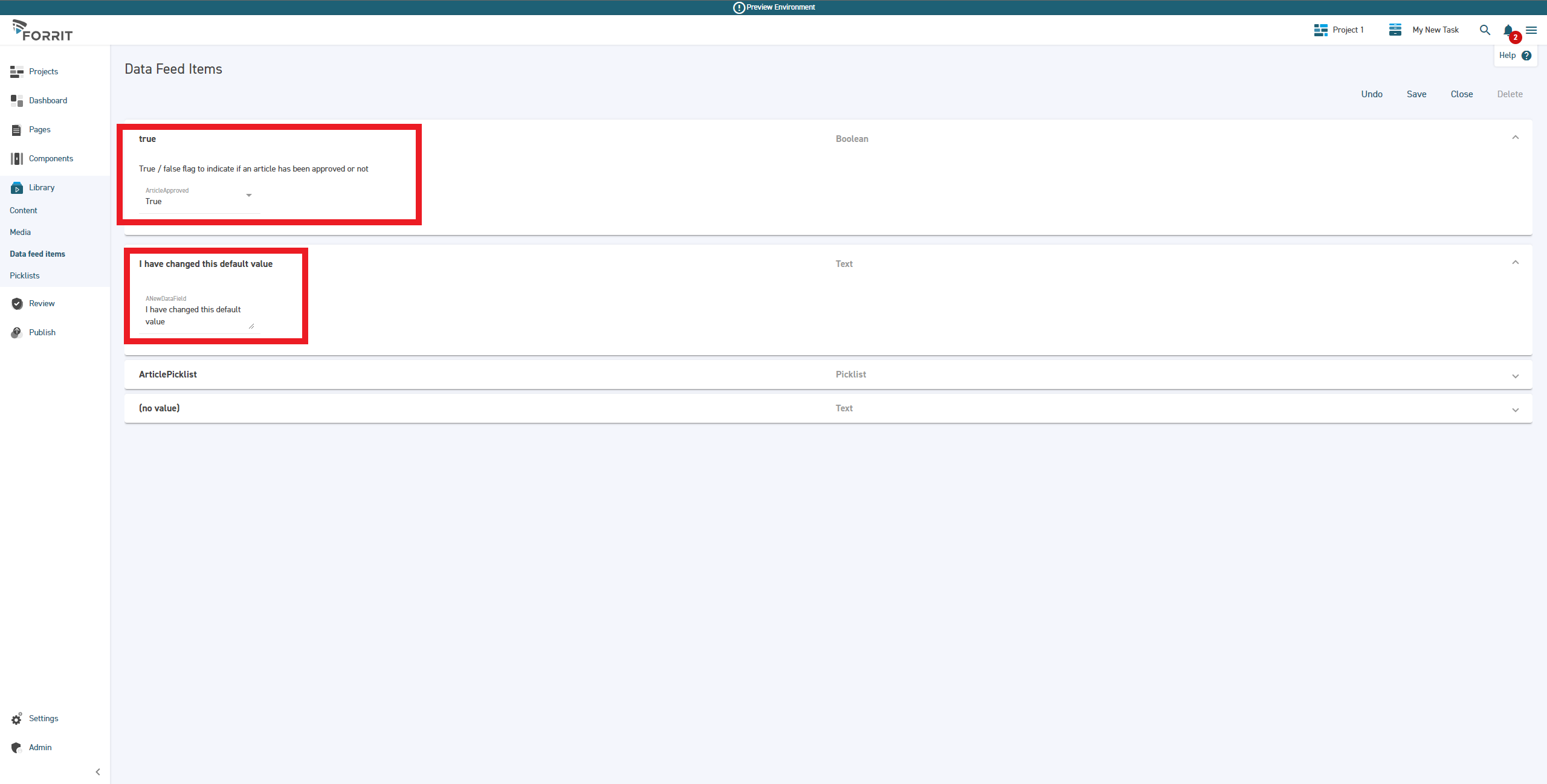
You can now observe the default value you created has been applied to the chosen data feed field
As in the page editing experience, you can overwrite the default value